How to Sell Digital Products on Etsy- The Beginner's Guide to Your First Sale
Quick Answer:
To sell digital products on Etsy: create a free Etsy seller account, design your product in Canva, export it as a PDF or PNG, create a listing with a keyword-rich title and description, set your price, and upload the file. Etsy delivers it to buyers automatically. You can have your first product live within a single afternoon — no website, no stock, no shipping required.
How to sell digital products on Etsy — the complete beginner's guide to your first sale
Etsy is one of the best platforms in the world for selling digital products as a beginner. It has over 96 million active buyers, a built-in search engine with genuine purchase intent, and a zero-inventory model that means you create a product once and sell it unlimited times.
You do not need design experience, a big following, or money to start. You need a free Etsy account, a free Canva account, and a product that solves a specific problem for a specific buyer. This guide walks you through every step — from opening your shop to making your first sale — in plain language with no steps skipped.
Etsy charges $0.20 to list a product. That is the only cost to start. Your first digital product sale on Etsy could happen within days of going live, without paid ads, without social media followers, and without any prior experience selling online.
Why Etsy is one of the best places to sell digital products in 2026
Most platforms for selling digital products require you to bring your own traffic. Gumroad, your own website, a TikTok link in bio — all of these depend on you driving people to the product. Etsy is different. It has built-in search traffic from buyers who are actively looking to spend money.
When someone searches "budget planner printable" or "Instagram templates for small business" on Etsy, they are not browsing for inspiration — they are looking to buy. That buyer intent is what makes Etsy uniquely powerful for beginners who do not yet have an audience.
ETSY DIGITAL PRODUCT ADVANTAGES:
1. No shipping or fulfilment :Etsy delivers the file automatically.
2. No inventory or stock costs : you upload once, sell unlimited times.
3. Built-in search traffic: buyers find you through Etsy's search engine.
4. Zero barrier to entry: free account, $0.20 per listing, no monthly fees until you earn.
5. Passive income model: your listing works 24/7 without you.
What digital products sell best on Etsy in 2026
Not every digital product performs equally on Etsy. The platform rewards products with high search demand, low competition, and clear visual appeal in the listing thumbnail.
These categories are consistently strong performers:
Product Type
Price Range
Why It Sells
Printable planners & trackers
$3–$12
High search volume, huge variety of niches, impulse buy price point.
Canva templates (social media)
$5–$35
Buyers want editable files they can customise — Canva delivers this perfectly.
Resume & CV templates
$5–$15
Evergreen demand, high conversion, buyers need them urgently.
Business & branding kits
$15–$65
Higher price point, strong appeal to new small business owners.
AI prompt packs
$8–$25
Fast-growing category, low competition, easy to create with ChatGPT.
Wedding & event printables
$4–$15
Seasonal peaks with year-round baseline, very visual-sells on thumbnail
Notion & productivity templates
$5–$25
Tech-savvy buyer segment, strong repeat purchase rate.
Kids activity sheets
$3–$10
Massive evergreen market, easy to create in Canva, high volume sales.
eBooks & how-to guides
$5–$20
Strong in make money online, wellness, and self-improvement niches.
Instagram & Pinterest templates
$8–$30
High demand from small business owners and content creators.
The single most important rule when choosing an Etsy product: be specific. "Planner" is too broad. "Weekly meal prep planner for busy working mums" is a product. The more specific you are, the less competition you face and the more clearly a buyer recognises it is exactly what they need.
ACTION STEP
Open Etsy and search for a product type from the table above. Sort by "Most relevant." Look at the top 10 listings. Read the titles carefully. Notice how specific they are. That specificity is what you are aiming for with your own product.
Step 1 — Open your Etsy seller account for free
Setting up an Etsy seller account takes less than 10 minutes. Here is the exact process:
1. Go to etsy.com/sell. Click "Get started."
2. Create a free Etsy account using your email address. If you already have a buyer account, you can open a seller account from the same login.
3. Choose your shop language, country, and currency. Select the currency your buyers use — if you are selling to a global audience, USD or GBP are the strongest default choices.
4. Name your shop. This does not need to be perfect. You can change it once before your first sale. Keep it short, memorable, and relevant to your niche — for example, "DigitalFlipShop" or "ClaraCreativeCo."
5. Add a payment method so Etsy can pay you. This is where your earnings are deposited after each sale.
6. Add billing information. Etsy charges $0.20 per listing — this is the only upfront cost.
SHOP NAME TIPS:
Avoid names that are too generic ("Digital Downloads") or too personal (your full name) unless you are building a personal brand. Aim for something that communicates your niche at a glance. You get one free name change — use it before your first sale if needed, not after.
ACTION STEP:
Open etsy.com/sell in a new tab right now and complete steps 1–3. You do not need a product yet. Just get the account set up so it is ready when your first product is finished.
Step 2 — Create your first digital product using Canva
Canva is a free online design tool that makes it possible for a complete beginner with no design experience to create professional-quality digital products in hours. It has thousands of templates for planners, social media graphics, ebooks, resumes, and more — all editable with drag-and-drop tools.
1. Go to canva.com and create a free account.
2. Search for a template that matches your product type. For a planner: search "planner" in Canva's template library. For social media templates: search "Instagram post." For a resume: search "resume."
3. Choose a template that fits your niche. Customise the colours, fonts, and text to match your brand. You do not need a "brand" to start — just pick colours and a font you like and stay consistent.
4. Replace all placeholder text with your real content. A planner page needs actual sections (Morning, Priorities, Notes, Wins). A social media template needs editable text boxes with placeholder labels.
5. Check that every element looks clean and professional at full size. Zoom in. Fix any text that is too small to read, any colours that clash, any boxes that are misaligned.
6. For Canva templates you plan to sell as editable files: use the "Share" button → "Template link." This gives buyers their own editable copy without accessing yours.
7. For non-editable files (printable planners, checklists, worksheets): download as PDF Print or PDF Standard from the download menu.
CANVA PRO VS CANVA FREE FOR ETSY SELLERS:
Canva Free is genuinely enough to start. You have access to thousands of templates, millions of free elements, and all core design tools. Canva Pro ($13/month) adds a background remover, premium elements, brand kits, and a wider template library. Upgrade once your Etsy shop is generating consistent income — use your first $15 sale to fund the first month. You can also earn $36 per annual Canva Pro referral through the Canva affiliate programme.
ACTTION STEP:
Open Canva today. Search for a template in your chosen product category. Customise it with your niche content. Export or share it. That is your first sellable product — done in one session.
Step 3 — Create an Etsy listing that ranks and converts
Your listing is the most important element of your Etsy success. A beautifully designed product with a weak listing will not sell. A well-crafted listing with a good product will. Every part of the listing works together to rank in Etsy search and convert visitors into buyers.
Listing title — the most important SEO element
Your title must include the exact phrase buyers type when searching for your product. Etsy's algorithm uses the title as its primary ranking signal. Do not use your shop name or brand in the title. Use the search phrase.
Weak title: "Pretty Pink Planner"
Strong title: "Weekly Meal Prep Planner Printable PDF :Grocery List & Meal Tracker for Busy Mums- Instant Download"
The strong title includes: the product type, the specific use case, the format (PDF), the buyer (busy mums), and the delivery method (instant download). Every word earns its place
Listing description — benefits first, details second
The first three lines of your description appear before the buyer clicks "read more" — they must answer: what is this, who is it for, and what does the buyer get? Write benefits first, then specifications.
Open with the buyer's problem: "Tired of starting the week without a plan?"
Follow with the solution: "This weekly meal prep planner gives you a clear layout for every meal, a built-in grocery list, and a habit tracker — all in one printable sheet."
Add the specifics: File format, page size, number of files, how to access and print.
Close with a how-to: Step 1 – Purchase. Step 2 – Download your file from your Etsy account. Step 3 – Print at home or at a print shop. Step 4 – Use it.
Tags — your second most important SEO tool
Etsy gives you 13 tags per listing. Use all 13. Tags are additional search phrases buyers might use to find your product. Use multi-word tags, not single words — "weekly meal planner printable" converts far better than "planner."
Price — how to set it right from day one
Beginners almost always underprice. Digital products have zero cost per sale after the initial creation time. Price based on the value to the buyer, not the time it took you to make it.
Product Type
Suggested Starting Price
Notes
Single printable page
$3–$5
Low price, high volume — use for bundle upsells
Planner (5–20 pages)
$7–$12
Most popular price bracket on Etsy for printables
Social media template bundle
$12–$25
Higher price justified by editable format and volume of templates.
Resume or CV template
$8–$15
Strong conversion at this range — buyer need is urgent
ebook or how-to guide
$9–$20
Price based on depth and niche — specialist content commands more
Brand kit or business bundle
$25–$65
Premium price for premium perceived value
Thumbnail — the image that sells the click
On Etsy, buyers scroll through a grid of results. Your thumbnail is the only thing that determines whether they click on your listing or your competitor's. A professional-looking thumbnail on a plain white or lifestyle background outperforms a cluttered design every time.
Use a clean white or neutral background for the main thumbnail image
Show the product clearly — for a planner, show the actual pages spread out
Add a one-line benefit overlay: "Editable in Canva" or "Instant Download"
Create 3–5 listing images total: thumbnail, close-up detail, lifestyle mockup, instructions slide
Mockup short cut:
Canva has free mockup frames for planners, digital devices, and printable products. Search "mockup" in Canva and drag your product design into the frame. This turns a flat PDF page into a professional lifestyle image in 2 minutes — at zero cost.
ACTION STEP
Write your listing title before you open the Etsy listing form. Draft it in a notes app first. Include: product type, specific use case, format, buyer, and delivery method. Count the characters — Etsy allows 140. Make every character count.
Step 4 — Upload your file and publish your listing
Once your listing information is written and your images are ready, the technical side is straightforward:
1. In your Etsy seller dashboard, click "Add a listing."
2. Upload your listing photos (thumbnail first, then supporting images).
3. Fill in the title, description, price, and all 13 tags.
4. In the "Type" section, select "Digital download."
5. Upload your digital file (PDF, PNG, ZIP, or Canva template link stored in a PDF)
6. In the "Delivery" section, confirm that Etsy delivers the file automatically after purchase.
7. Set your quantity to 999 (or any large number). Etsy treats digital products as unlimited inventory but still needs a number.
8. Click Publish. Your listing is live.
Your product is now searchable on Etsy. It will not immediately appear at the top of results — new listings take a few days to be indexed and ranked by Etsy's algorithm. The more sales and reviews your listing accumulates, the higher it will rank over time.
AFTER YOU PUBLISH:
Share your listing link on Pinterest immediately. Create one pin linking directly to your Etsy product page with a keyword-rich description. Pinterest pins are indexed by Google and can drive traffic to your Etsy listing within 24–48 hours — far faster than Etsy's own algorithm picks up a new listing. This is one of the fastest ways to get your first sale as a new seller.
ACTION STEP:
Publish your first listing today. Do not wait for it to be perfect. A live listing that is 80% optimised is infinitely more valuable than a perfect listing that has never been published. Improve the title and tags after your first week based on what you learn from Etsy's search analytics.
How to get your first Etsy reviews and build trust fast
New Etsy shops with zero reviews convert poorly — buyers trust established shops. Your first priority after publishing is generating your first five reviews as quickly as possible.
Offer your first product at a launch price. Set it at $1–$3 for the first week. The goal is volume and reviews, not maximum profit. Raise the price once you have five reviews.
Tell people in your network. Post your listing link in any relevant Facebook group, WhatsApp group, or to your existing social media followers. Ask friends and family to purchase, download, and leave an honest review.
Include a thank-you message. In your Etsy shop settings, add an automatic message to buyers: "Thank you for your purchase! If you have any issues with your file, message me and I will sort it out within 24 hours. If you love it, a review would mean the world to a small shop like mine." This single message generates more reviews than any other tactic.
Respond to every message quickly.Etsy factors response rate into shop ranking. Reply to every message within 24 hours, even if it is just an acknowledgement
5 Etsy digital product mistakes beginners make
1. Listing one product and waiting. Etsy rewards shops with multiple listings. Shops with 10+ listings rank significantly better than shops with one. Your goal in the first month: 10 live listings across your niche.
2. Using a generic title. "Digital planner" is not a title — it is a category. Buyers search for specific things. "2026 Daily Planner Printable A5 PDF — Undated Minimalist Planner for Students and Professionals" is a title.
3. Ignoring tags. Etsy's tags are a direct ranking signal. Filling all 13 tags with relevant multi-word phrases is not optional — it is the difference between being found and being invisible.
4. Pricing too low and never raising. A $1 planner signals low quality, not a bargain. Buyers associate price with value. Start at $5 minimum for any digital product, and raise your price as reviews build.
5. Creating products they like instead of products buyers search for. Open the Etsy search bar, type your product category, and look at the autocomplete suggestions. Those suggestions are real searches from real buyers. Create products that match those searches.
Frequently asked questions
How much does it cost to sell digital products on Etsy?
It costs $0.20 to list each product. There are no monthly fees for a standard seller account. Etsy charges a 6.5% transaction fee on each sale plus a small payment processing fee (3% + $0.25). Your first product listed costs $0.20. If it sells for $10, Etsy takes approximately $1 in fees. You keep the rest.
How long does it take to make your first sale on Etsy?
With a well-optimised listing, most beginners make their first sale within 1–4 weeks. Shops that also drive external traffic via Pinterest or TikTok often see their first sale within days. The key variable is how well your listing title and tags match what buyers are searching for.
Do I need a business licence to sell on Etsy?
Requirements vary by country. In most countries, you can sell on Etsy as an individual without a registered business licence until you reach a certain annual revenue threshold. Check the rules specific to your country. In practice, most beginners start selling before registering formally and formalise once income is consistent.
Can I sell Canva templates on Etsy?
Yes — Canva templates are one of the best-selling digital product categories on Etsy. You share a Canva template link (not your original file), which gives buyers their own editable copy. The key requirement is that you use Canva's "Share a template link" feature, not a regular share link.
How many products do I need to list to start earning on Etsy?
Most successful beginner Etsy sellers recommend aiming for 10–20 listings in your first month. More listings mean more search surface area, more chances to rank, and more products for buyers to browse once they find your shop. Start with one, then systematically build to 10.
Digital Products That Sell
$12 Ebook
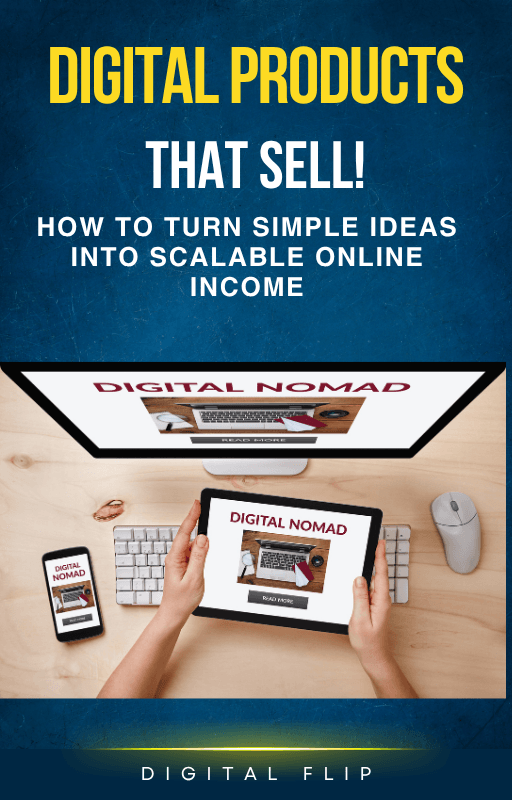
The Digital Products That Sell guide breaks down the 10 highest-converting digital product types for beginners — with pricing, platform recommendations, and a step-by-step creation guide for each.
Written by Digital Flip
Digital Flip is a digital products brand dedicated to helping complete beginners and 9-to-5 workers build sustainable online income. We cut through the noise, skip the theory, and deliver practical tools you can act on today. Explore our full product range at digitalflip.org/store.
SHARE